APK Safety: Safe APK Download & Installation Guide 2026
10 September 2026
2026 Guide
Description
Downloading Android applications through APK files has become common for users who want access to apps that may not be available through their usual app store. APK files can be useful, but they also require more attention than apps installed through an official store.
The biggest question is simple: How can you know whether an APK is safe?
Gaming APKs deserve the same security attention as any other application. If you are exploring different APK Games & Apps in Pakistan, it is important to check the developer, download source, app permissions, version information, and privacy details before installation.
This complete APK Safety Guide explains everything Android users should know before downloading and installing APK files. Whether you are downloading an ordinary Android app, a utility, a game, or another type of application, these safety practices can help you make better decisions.
What Is an APK File?
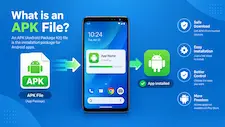
APK stands for Android Package Kit. It is the file format used to distribute and install applications on Android devices.
When you download an APK, you are essentially downloading an application package that Android can use for installation. An APK may contain the application’s code, resources, media files, configuration information, and other components required for the app to operate.
Normally, Android users install apps through an official app marketplace. However, APK installation allows users to install applications from other sources.
This flexibility can be helpful, but it also means users need to pay more attention to where the file came from.
An APK itself is not automatically dangerous. The important question is whether the particular APK has been obtained from a trustworthy source and whether it has been altered or compromised.
Why Is APK Safety Important?
The internet contains thousands of websites offering APK downloads. Unfortunately, not every website provides genuine files.
Some APK files may be outdated, modified, repackaged, or potentially harmful. A malicious application could attempt to collect information, display unwanted advertisements, access unnecessary device features, or create other security problems.
There are several reasons why APK safety matters:
- Your personal information may be at risk.
- Malicious software can affect device performance.
- Fake apps can imitate legitimate applications.
- Excessive permissions can create privacy concerns.
- Modified APKs may contain unknown changes.
- Fake login pages can attempt to collect account credentials.
- Suspicious applications may generate unwanted pop-ups or redirects.
This does not mean that every third-party APK is unsafe. Instead, it means that users should verify an APK before installing it.
How to Identify a Trusted APK Source?
The source of an APK is one of the most important factors to consider.
Before clicking a download button, investigate the website providing the file.
Check the Developer Information
A trustworthy APK page should ideally identify the developer or publisher. Compare the developer information with information available through the application’s official channels.
If a website claims to provide an official app but gives no information about who developed it, be cautious.
Check the Website Domain
Fake websites sometimes use domains that look almost identical to legitimate websites.
Look carefully at the spelling of the domain name. Be especially careful with websites using unusual combinations of words, misleading extensions, or names designed to imitate another brand.
Look for Complete App Information
A useful APK download page should provide details such as:
- App name
- Version number
- APK file size
- Developer
- Android compatibility
- Update date
- App description
- Installation instructions
A page containing only a large “Download” button and little information deserves additional caution.
Avoid Misleading Download Buttons
Some websites display multiple download buttons, advertisements, or pop-ups that can make it difficult to identify the actual APK download.
Take your time and make sure you know what you are clicking.
How to Check an APK Before Installation?
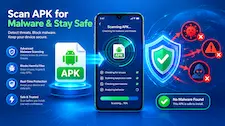
Downloading a file does not mean you have to install it immediately.
Before opening an APK, perform a few basic checks.
Verify the File Name
Look at the APK file name. If it appears completely unrelated to the application, investigate further.
A strange filename does not automatically mean malware, but it can be a warning sign.
Check the Version
Compare the APK version with information provided by the developer or a reliable source.
An APK that is extremely old may lack important security improvements. An unexpectedly different version may also deserve investigation.
Check the File Size
File size can provide another useful clue.
If an application normally requires a certain amount of storage but the downloaded file is dramatically different, investigate before installation.
File size alone cannot prove that an APK is safe or unsafe, but it can help identify unusual downloads.
Scan the File
Where possible, use reputable security software to scan downloaded APK files.
Security scanners can help identify known malicious files or suspicious characteristics. However, no scanner can provide an absolute guarantee that an application is completely safe.
Treat scanning as one layer of protection rather than the only safety step.
APK Permissions Explained
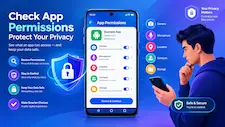
Permissions are one of the most important parts of Android app security.
When an application requests access to your camera, microphone, contacts, location, photos, notifications, or other device features, consider whether that access makes sense.
For example, a camera application may reasonably require camera access. A navigation application may need location access. But if a simple flashlight application requests access to contacts or unrelated personal information, that should make you stop and investigate.
Common Android Permissions
Some common permissions include:
Camera: Allows an app to use your device camera.
Microphone: Allows an application to access audio through the microphone.
Location: Provides location information to the application.
Contacts: Allows an app to access contact information.
Photos and Media: May allow an application to access selected or stored media.
Notifications: Allows the application to send notifications.
Not every permission is automatically dangerous. The important point is whether the requested access is appropriate for the application’s purpose.
Should You Allow Every Permission?
No.
Users should review permissions instead of automatically accepting everything.
Modern Android versions provide controls that can allow users to manage certain permissions. If an application does not need a particular permission for its main functionality, consider denying that access where practical.
You should also periodically review permissions for applications already installed on your phone.
An app’s behavior and permission requirements can change after updates, so regular checking is useful.
Official APK vs Modified APK
One of the biggest distinctions users should understand is the difference between an original APK and a modified APK.
An original APK is generally distributed by the application’s developer or an authorized source.
A modified APK has been changed by another party. The modifications could include interface changes, additional features, removed components, or other alterations.
The problem is that users may not know exactly what has been changed.
A modified APK could potentially contain additional code or unwanted behavior. For that reason, users should be particularly careful with APKs promoted as “mod,” “cracked,” “unlocked,” or “premium free.”
If you need a specific application, obtaining the legitimate version from a trustworthy source is usually the safer approach.
Why Cracked APKs Can Be Risky?
Cracked applications are often promoted as offering paid features without payment or removing restrictions.
Such claims can make these files attractive, but they also create an additional security concern.
Users may have no reliable way to determine what changes were made to the original application.
Potential risks include:
- Hidden malicious code
- Unwanted advertisements
- Data collection
- Fake login systems
- Unexpected permissions
- Device instability
- Account-security problems
The promise of free premium features is not worth ignoring basic device security.
How to Avoid Fake APK Websites?
Fake APK websites are designed to look legitimate enough to convince users to download files.
Here are several signs to watch for.
Excessive Pop-Ups
If a website opens multiple tabs or repeatedly redirects you, be cautious.
Fake Update Messages
Some websites display messages claiming your phone or browser is outdated and needs an immediate update.
Do not install software simply because a random webpage tells you to.
Fake Security Warnings
A website may display a dramatic warning claiming your device has a virus and asking you to download an application immediately.
Do not trust such messages automatically.
Use your device’s legitimate security tools to determine whether there is actually a problem.
Poor Website Information
A website that provides APK files but has no developer details, privacy information, contact information, or useful app information should be treated carefully.
APK Download Safety Checklist
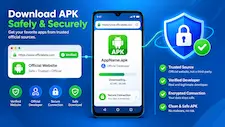
Before downloading an APK, ask yourself the following questions:
Source
- Is this a trustworthy website?
- Can I verify the developer?
- Is the domain spelled correctly?
Application
- Is the app name correct?
- Is the version information available?
- Is the file size reasonable?
Security
- Can I scan the APK?
- Does Android display a security warning?
- Does the app request unusual permissions?
Privacy
- Does the application explain how it handles data?
- Does it request information that is unnecessary?
Account
- Is the login page legitimate?
- Does the app request sensitive information without a clear reason?
If you cannot answer these questions confidently, consider finding another source.
How to Safely Install an APK?
Once you have verified the APK, you can proceed with installation.
A basic safe installation process looks like this:
Step 1: Download From a Reliable Source
Use a source you can reasonably verify rather than a random download page.
Step 2: Check the File
Confirm the application name, version, file size, and developer information.
Step 3: Scan the APK
Use reputable security software where available.
Step 4: Review Android’s Security Message
If Android warns you about the application, stop and understand the warning before continuing.
Step 5: Review Permissions
Pay attention to the access requested by the application.
Step 6: Install the Application
Only proceed when you are comfortable with the source and file.
Step 7: Monitor the App
After installation, watch for unusual behavior such as excessive advertisements, unexpected redirects, battery drain, or strange notifications.
Keep Android Updated
APK safety is not only about the APK itself.
Your operating system also plays an important role in device security.
Android updates can include security fixes, performance improvements, compatibility changes, and other protections.
If your device supports security updates, install them regularly.
You should also keep your browser and important applications updated.
Using an outdated Android version can increase exposure to known security weaknesses.
Use Built-In Android Security Features
Android includes several security features designed to help protect users from potentially harmful applications.
Google Play Protect, for example, can scan applications and help identify potentially harmful behavior.
Even if you install apps outside the Play Store, keeping your device’s security features active is a sensible precaution.
Do not disable security features simply because a third-party website tells you to do so.
If a website specifically instructs you to turn off multiple security protections before installing its APK, consider that a significant warning sign.
Protect Your Personal Information
APK safety also includes protecting your personal data.
Never provide sensitive information to an application unless you understand why it needs that information and you trust the application.
Be particularly careful with:
- Passwords
- Banking information
- Payment details
- Personal identification information
- Recovery codes
- Authentication codes
A legitimate-looking application can still be fake.
Before entering credentials, verify that you are using the correct application and legitimate service.
APK Safety and Gaming Apps
Gaming APKs deserve the same security attention as any other application.
Many gaming applications include accounts, profiles, rewards, social features, payment options, or other services that can involve personal information.
Before installing a gaming APK, check:
- Developer information
- Official source
- Version
- Permissions
- Privacy information
- Account requirements
- Age restrictions
- Regional availability
Be cautious about applications making unrealistic claims about guaranteed rewards, guaranteed income, or guaranteed profits.
No gaming platform should be treated as a guaranteed source of money.
Users should also follow applicable laws, age requirements, location restrictions, and platform terms.
Gaming APKs should be checked carefully before installation, just like any other Android application. If you are exploring APK Games & Apps in Pakistan, make sure to verify the download source, developer information, app permissions, version, and security details before installing any APK.
How to Keep Your Gaming Account Secure?
If you use APK-based gaming applications, account security is especially important.
Create a strong password that you do not reuse across multiple services.
Where available, enable two-factor authentication.
Never share verification codes with other people.
If an application asks you to send a password or security code through a chat message, email, or social-media account, treat that request with caution.
You should also avoid saving sensitive information in suspicious applications.
Warning Signs After Installing an APK
Sometimes an APK may appear normal during installation but behave strangely afterward.
Watch for signs such as:
- Frequent unexplained pop-ups
- Browser redirects
- Excessive notifications
- Unexpected applications appearing
- Unusual battery drain
- Increased mobile data usage
- Device overheating without an obvious reason
- Unexplained account activity
- Requests for unrelated permissions
One symptom does not automatically prove malware, but several unusual signs together should not be ignored.
What to Do If an APK Seems Suspicious
If you believe an APK is behaving suspiciously, take action.
First, stop using the application.
Review its permissions and uninstall it if appropriate.
Run a security scan using reputable security software.
Then review important accounts, especially if you entered passwords or other sensitive information into the application.
If necessary, change passwords from a trusted device and enable additional account protection.
Also check your Android device for other unfamiliar applications that may have been installed around the same time.
Should You Delete an APK After Installation?
After an application has been successfully installed, the original APK file is generally no longer required for everyday use.
Deleting unused APK files can help keep your Downloads folder organized and reduce the chance that you accidentally install an old or unverified file later.
However, if you want to keep an APK as a backup, store it carefully and remember that an old APK may not include later security or compatibility improvements.
How to Safely Update an APK?
Updating an APK requires the same caution as downloading the original application.
Do not install an update simply because a pop-up claims one is available.
Instead, verify:
- The update source
- Developer identity
- Version number
- File details
- Application permissions
- Security information
If the developer provides an official update method, prefer that approach.
APK Safety for Beginners
If you are new to APK installation, do not rush.
The safest habit is to slow down and verify every important detail.
Before installation, ask:
Who created this application?
Where did this APK come from?
Does the website appear legitimate?
Does the application need these permissions?
Can I verify the version?
Does Android or my security software detect anything unusual?
If something feels wrong, do not install the file until you have investigated further.
Common APK Safety Mistakes
Many security problems happen because users ignore small warning signs.
Mistake 1: Downloading From the First Search Result
Search rankings do not automatically prove that a website is trustworthy.
Mistake 2: Clicking Every Download Button
Some pages contain advertisements designed to look like download buttons.
Mistake 3: Ignoring Permissions
Users sometimes approve every permission without reading what the application is requesting.
Mistake 4: Installing Cracked Apps Without Verification
Free premium features can come with significant security risks.
Mistake 5: Ignoring Android Warnings
Security warnings should be investigated instead of automatically dismissed.
Mistake 6: Reusing Passwords
If a suspicious application obtains one password, reused passwords can put multiple accounts at risk.
Is It Safe to Download APKs on Android?
APK downloads can be safe when users follow good security practices.
The file format itself is not the main problem. The larger concern is the source, authenticity, modifications, permissions, and behavior of the application.
A responsible APK user should verify an application before installation rather than assuming that every APK online is legitimate.
Frequently Asked Questions About APK Safety
What is APK safety?
APK safety refers to the practices used to reduce the risk of installing harmful, fake, modified, or untrusted Android applications.
Are all APK files dangerous?
No. APK files are a normal Android application format. The safety of a particular APK depends on factors such as its source, authenticity, modifications, and permissions.
Can APK files contain malware?
Yes. A malicious APK can contain harmful code, which is why users should verify and scan files before installation.
How can I know if an APK is genuine?
Verify the developer, website domain, application version, file details, and other information against a trustworthy source.
Are modified APKs safe?
There is no universal guarantee. Because modified APKs have been changed from their original form, users should treat them with additional caution.
Should I allow all APK permissions?
No. Only allow permissions that are appropriate and necessary for the application’s functionality.
Can a fake APK steal my password?
A malicious or fake application may attempt to collect login credentials. Never enter sensitive information into an application unless you have verified its legitimacy.
What should I do if an APK shows unusual behavior?
Stop using it, review its permissions, uninstall it if appropriate, run a security scan, and secure any accounts that may have been exposed.
Is scanning an APK enough to make it safe?
No. Scanning is useful, but it should be combined with source verification, permission checks, software updates, and general security awareness.
How can I avoid fake APK websites?
Check the domain, developer information, app details, download buttons, privacy information, and website reputation. Avoid pages that use aggressive redirects or misleading security warnings.
Is an old APK safe to use?
An old APK is not automatically unsafe, but it may lack newer security fixes or compatibility improvements. Check whether a newer legitimate version is available.
Should I keep downloaded APK files?
You can delete APK files you no longer need. If you keep one as a backup, remember that it may become outdated over time.
Are gaming APKs safe?
Gaming APKs can be safe when obtained from trustworthy sources and checked carefully. Users should pay particular attention to account security, permissions, payment features, and regional or age requirements.
Can APK permissions affect privacy?
Yes. Permissions can determine what device features or information an application can access. Review them carefully before granting access.
What is the safest APK download practice?
The safest general approach is to use a legitimate source, verify the developer and file, scan the APK when possible, review permissions, keep Android updated, and monitor the application after installation.
APK Safety Checklist for Quick Reference
Use this checklist every time you download an APK:
Before Downloading
- Verify the website.
- Check the developer.
- Avoid suspicious redirects.
- Read the application information.
- Confirm the version.
Before Installing
- Check the file name.
- Check the file size.
- Scan the APK where possible.
- Review Android security warnings.
- Check requested permissions.
After Installing
- Monitor application behavior.
- Review permissions again.
- Keep Android updated.
- Watch for unusual notifications.
- Remove suspicious applications.
For Account Security
- Use strong passwords.
- Avoid password reuse.
- Enable two-factor authentication where available.
- Never share verification codes.
- Avoid entering sensitive information into unverified apps.
Building a Safer APK Download Experience
A good APK website should not focus only on getting users to click a download button.
It should help readers understand what they are downloading.
Useful APK pages can provide:
- Accurate app information
- Developer details
- Version information
- File size
- Android requirements
- Installation guidance
- Safety recommendations
- Permission information
- Update details
- Privacy considerations
This type of transparent content gives users the information they need to make an informed decision.
For website owners, an APK safety pillar can also become the foundation for a larger content cluster. Supporting pages can explain individual topics in greater detail and link back to this main guide.
Final Thoughts
APK files provide Android users with another way to install applications, but flexibility comes with responsibility.
The safest approach is not to assume that every APK is dangerous or that every APK is safe. Instead, evaluate each file individually.
Start with the source. Verify the developer. Check the application version and file details. Review permissions. Scan the file where possible. Keep Android updated and pay attention to security warnings.
After installation, continue monitoring the application for unusual behavior.
For gaming applications and other apps that involve accounts or personal information, take additional care with passwords, verification codes, payment details, privacy, age restrictions, and regional requirements.
The most important rule is simple:
Don’t install an APK just because you found it online. Verify it first.
A few extra minutes spent checking an APK can help reduce unnecessary security and privacy risks. By following the practices in this guide, Android users can make more informed decisions and create a safer APK downloading and installation experience.